If you are an Instagram user, you have probably wondered whether taking a screenshot of something triggers a notification to the other user. In this article, we will provide you with all the essential information regarding Instagram screenshots that you need to know.
Does Instagram Notify When You Screenshot?
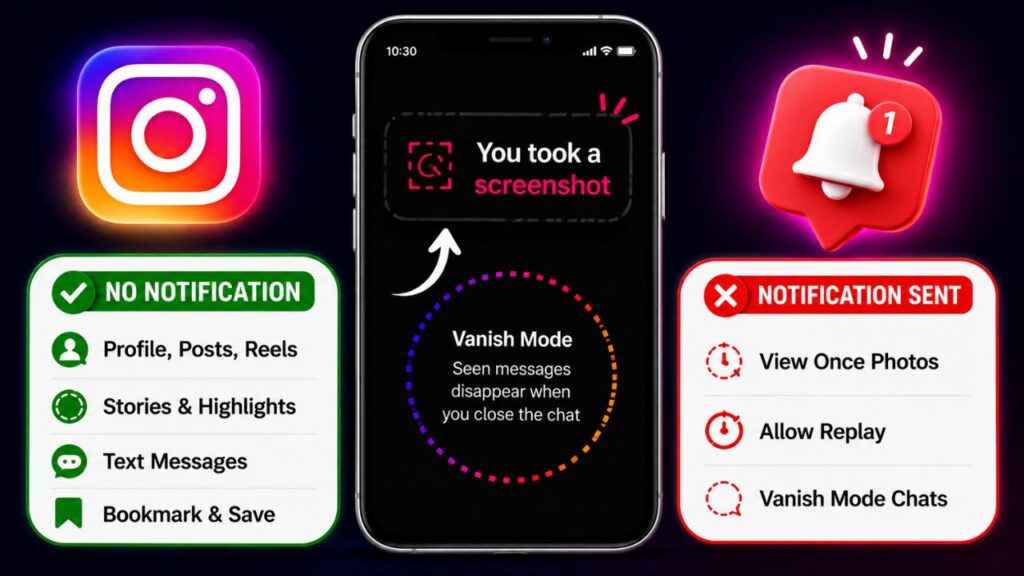
Whether or not a notification is sent when you take a screenshot on Instagram depends entirely on the type of content you are capturing. To put it simply, here is how it works:
| Media Type | Screenshot Safe? |
|---|---|
| Keep in Chat | ✅ Yes |
| View Once | ❌ No |
| Allow Replay | ❌ No |
| Vanish Mode | ❌ No |
If you take a screenshot of disappearing messages or Vanish Mode on Instagram, the other user will be notified. This feature is implemented solely for user privacy and security.
What Screenshots Do Not Trigger a Notification?
There are many types of content on Instagram that you can freely screenshot without triggering any notification to the other user. These include:
- Profile Picture: Since a user’s profile picture is publicly available for everyone to see, taking a screenshot of it will not send a notification.
- Profile Feed: If you capture a screenshot of an Instagram user’s main profile page, no notification is sent.
- Public Story: You can screenshot a public story without any worries; the creator will not be notified.
- Close Friends Story: Taking a screenshot of a Close Friends story does not trigger a notification either.
- Story Highlights: If a user has saved a story to their highlights and you screenshot it, no notification will be sent.
- Photos and Reel Posts: You can screenshot any standard photo post or a specific frame of an Instagram Reel without the user being notified.
- Video Posts: Instagram will not send any notification if you screenshot a frame from a regular video post.
- Text Messages: Taking a screenshot of a standard chat conversation does not trigger an Instagram notification.
In short, you can safely screenshot any regular content that is standard and visible to users.
What Screenshots Trigger an Instagram Notification?
Some content on Instagram cannot be saved privately. If you take a screenshot of the following items, Instagram will notify the other user:
- View Once Photos: These are photos that automatically disappear after being opened once. Screenshotting them will trigger a notification.
- Disappearing Videos: These videos automatically delete themselves after a single viewing. Taking a screenshot will send a notification to the sender.
- Vanish Mode Chats: This is a secret chat mode where messages disappear automatically once the chat is closed. Taking a screenshot here is restricted, and the other user will be immediately notified.
Simply put, Instagram will send a notification whenever you screenshot content where a user’s privacy and security could potentially be compromised.
Best Ways to Save Instagram Content
If you want to save Instagram content, there are several native and alternative methods available. You can follow these approaches:
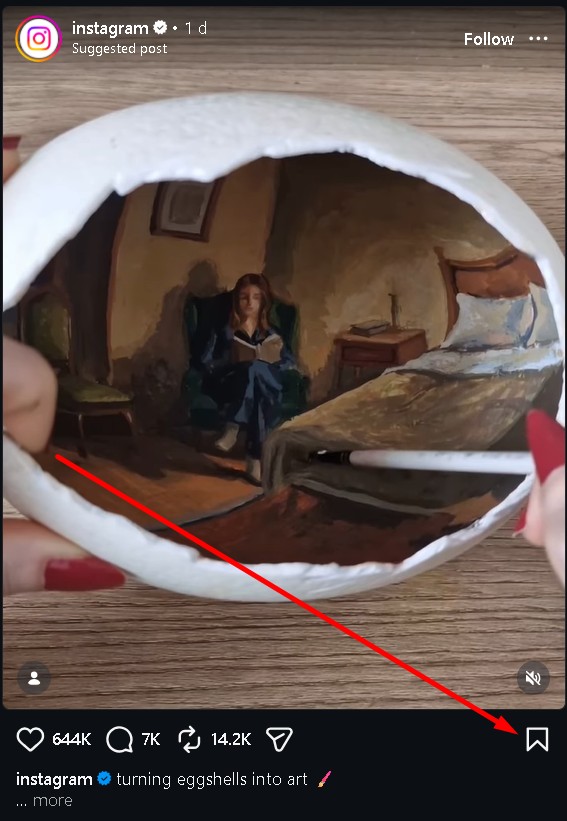
1. The Bookmark Feature
If you want to save a post, Instagram offers a built-in bookmarking feature. To use it, simply tap the bookmark icon located below the post. It will be saved directly to your Instagram account, allowing you to access it whenever you want.
2. Direct Message (DM) Yourself
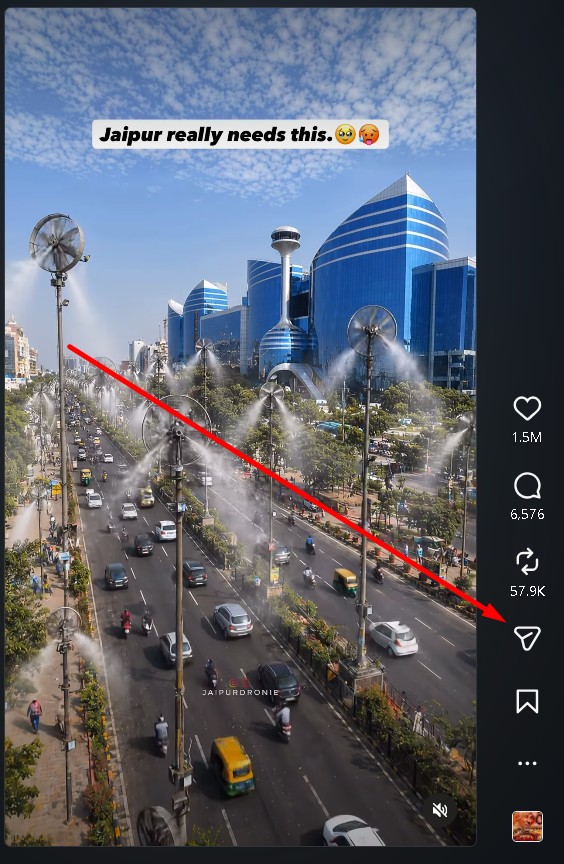
If you like a post, video, or Reel, you can easily save it by sending it to your own DM. This allows you to revisit the content through your messages at any time. Here is how to do it:
Step 1. Tap the Share icon on the post, video, or Reel you wish to save.
Step 2. In the share menu, use the search bar to type and select your own account.
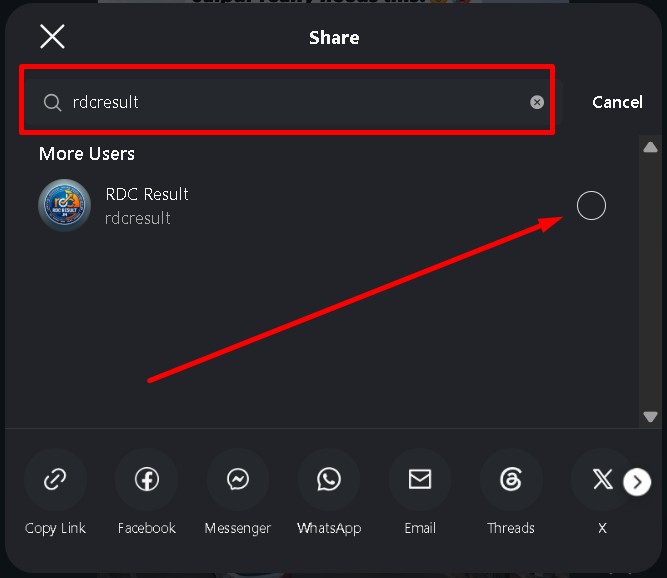
Step 3. Tap the Send button.
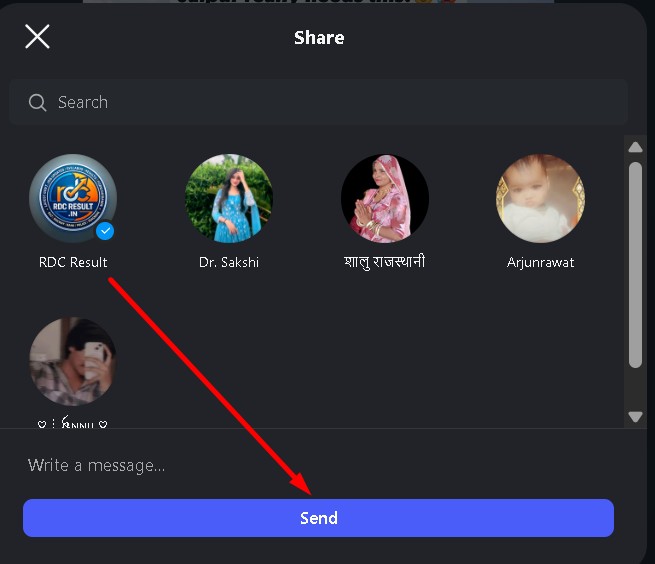
Once completed, the post will be saved in your personal chat history for quick future access.
3. Third-Party Apps
Various third-party applications and tools allow you to download Instagram content. However, these should be used with caution to protect your digital security. If you choose to use third-party tools, keep the following precautions in mind:
- Only use reputable and trusted applications or websites.
- Prioritize your personal privacy and account security.
- Do not grant account access or login credentials to unknown applications.
- Never share sensitive information on these platforms.
- Avoid clicking on unverified or suspicious links.
Ultimately, the easiest and safest methods are the official features provided directly by Instagram, which can be used without any security risks.
FAQ – Does Instagram Notify When You Screenshot?
1. Does Instagram notify when you screenshot a Story?
No, Instagram does not send any notification when you take a screenshot of someone’s Story, including Public Stories, Close Friends Stories, or Story Highlights. You can capture them safely without the other person knowing.
2. Does Instagram notify screenshots in DMs?
Instagram only sends screenshot notifications for disappearing content inside DMs, such as View Once photos, Allow Replay media, and Vanish Mode chats. Regular text messages, photos, and shared posts in chat are completely screenshot-safe.
3. Can someone see if I screenshot their Instagram Reel or post?
No, Instagram does not notify users when you screenshot a Reel, photo post, carousel post, or video post. You can save frames or images from regular posts without triggering any alert.
4. What happens if you screenshot a View Once photo on Instagram?
If you screenshot a View Once photo or disappearing video, Instagram instantly notifies the sender. A small screenshot icon will appear in the chat, letting them know the content was captured.
5. Does Vanish Mode notify screenshots on Instagram?
Yes, Instagram sends a notification immediately if someone takes a screenshot while using Vanish Mode. This privacy feature is designed to protect disappearing conversations and sensitive content.
6. How can I save Instagram content without screenshotting?
The safest way to save Instagram content is by using Instagram’s Bookmark feature or sending posts to your own DM. These official methods help you save Reels, posts, and videos securely without violating privacy rules or triggering screenshot notifications.